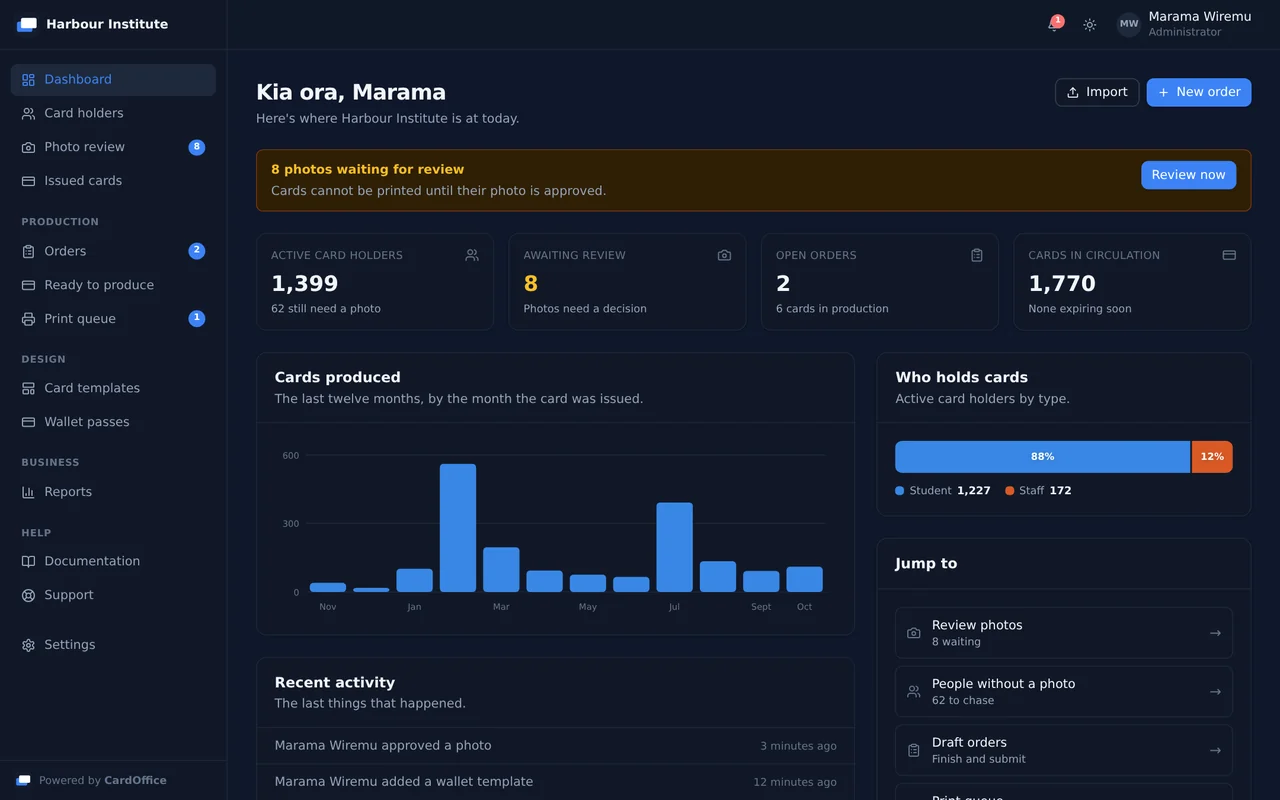


Card design
Design card artwork in the browser, bind fields to cardholder data, and lock a version so every card in an order prints exactly as approved. The same design drives the plastic card and the wallet pass, so the two never drift apart.

CardOffice is card personalisation software that makes producing student and staff ID cards quick and simple. Design templates and enter cardholder details in a clear, uncluttered interface, or sync cardholders straight from your directory. Then print on the card printer you already own, or issue the same credential to Apple Wallet and Google Wallet.
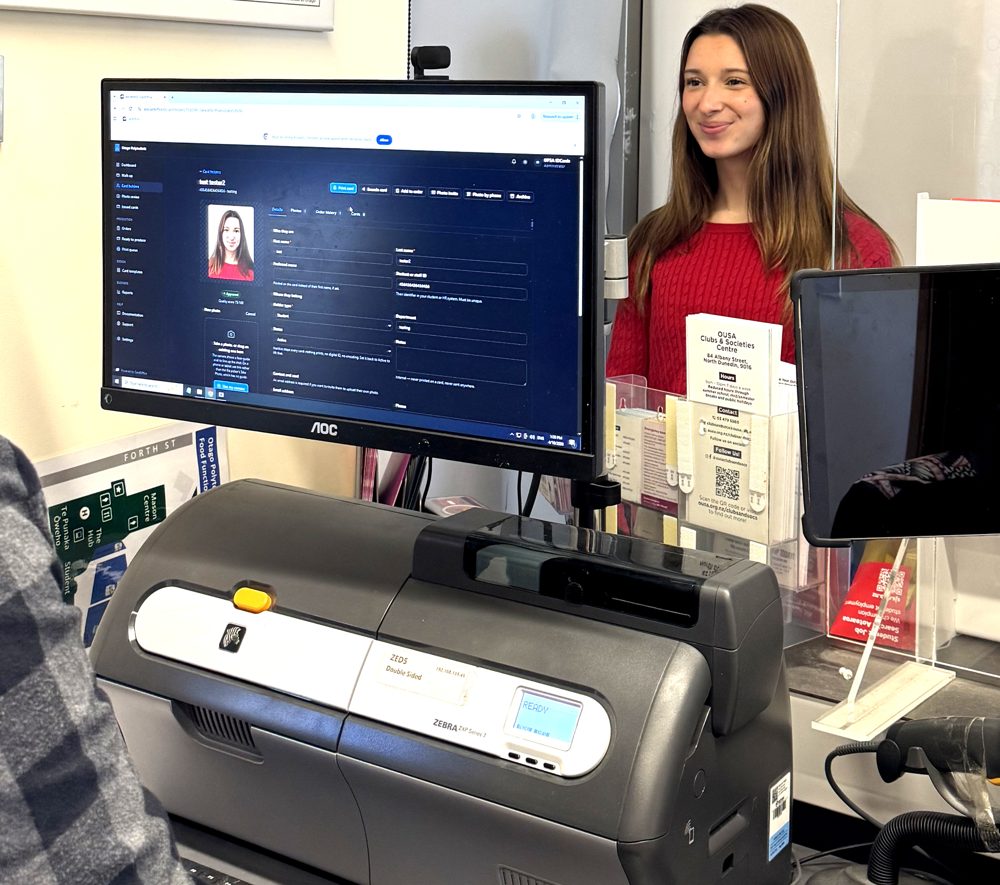
In production A New Zealand tertiary card office moved a twenty-year-old card system onto CardOffice in a single day, and kept issuing throughout.
CardOffice is built to be easy to use and good to look at. Each screen does one job, says what it needs in plain words, and puts the next thing to do in front of you, so issuing cards takes less time and less explaining.
An ID card is not a printing job. It is a record of who somebody is, what they are entitled to, and whether that is still true today. CardOffice treats it that way: the card in a pocket and the pass on a phone are the same credential, carrying one serial number and one verification code. Issue either on its own, or both together, printing a card months later never creates a second identity.
Design card artwork in the browser, bind fields to cardholder data, and lock a version so every card in an order prints exactly as approved. The same design drives the plastic card and the wallet pass, so the two never drift apart.
One record per person, kept across every card they are ever issued, fed from your directory rather than a spreadsheet.
Print on your own printer or one we supply, batch runs or one at the counter, with magnetic stripe and RFID encoding. Or have us print the cards at our site and ship them to you.
Apple Wallet and Google Wallet, certified and live. Passes update over the air and can be revoked remotely.
SCIM provisioning, single sign-on, a REST API with webhooks, and RFID encoding into access control.
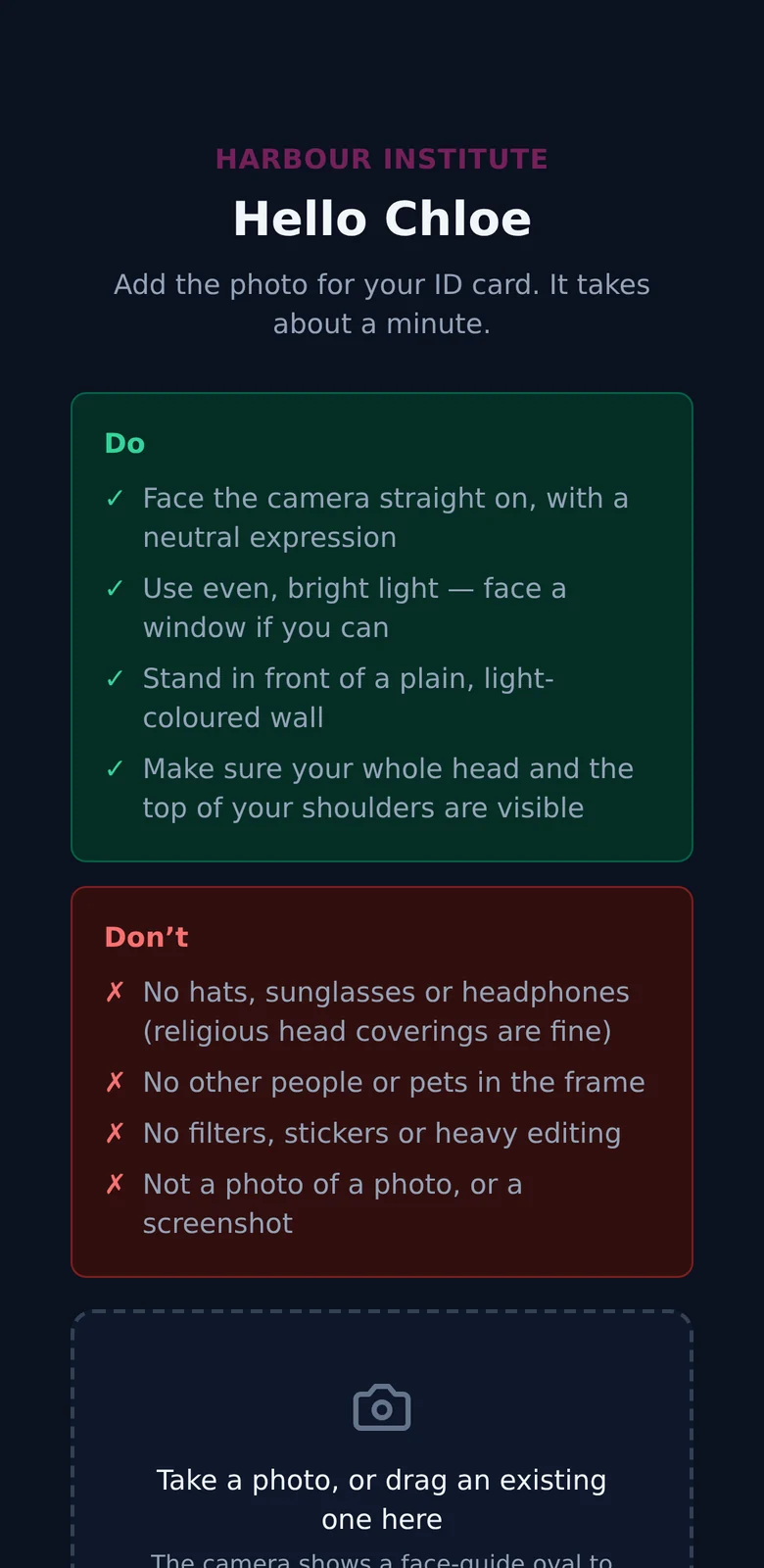

What the cardholder sees on their own phone. The portrait is a stock photograph of a model.
Distance students, remote staff and contractors never need to visit a counter. Email them a link and they photograph themselves on their own phone, wherever they are.
One click from a person's record, or select a whole intake and send them all at once. Anyone with no email address is skipped and counted, so the run does not stop.
The link opens a page that greets them by name, with no app, no account and no password. It shows what makes a good photo, lines the shot up with a face guide, and stays open for three days.
The photo is screened against the portrait rules as soon as it arrives, so one that is too dark or out of focus is flagged before anyone opens it.
Every photo sent by link is looked at by a person before it can go on a card. Reject one and the reason is emailed back, with a fresh link to try again.
From there the card is printed as usual, or the digital ID is emailed straight to their phone.
There is no fat client to install and licence on every workstation. The platform runs in a browser. The only thing installed locally is a lightweight print agent on the PC beside the card printer, and it connects outbound over HTTPS, so it works through the firewall you already have, without an inbound rule or a port opened for it.

Entra ID and Google Workspace sync automatically over SCIM, straight into the cardholder roster. A new starter appears ready to be photographed, a name or department change flows through on the next provisioning cycle, and a leaver's card deactivates itself. No CSVs, no re-keying.
Send a photo invitation by email and the cardholder submits from wherever they are, phone, laptop, tablet, or a dedicated station in the card office. Distance and off-campus students stop being a special case. Automated quality checks catch a bad photograph before it is submitted. How the photo link works.
Staff approve or reject in a purpose-built queue, with the reason sent back to the cardholder so they can try again without a phone call.
Release a batch to the print agent, or issue one card at the counter. Ribbon levels, cleaning intervals and card stock are tracked as you go. Ordering finished cards from us instead gives you packing lists, tracking and an invoice per shipment or rolled up monthly.
Every card and wallet pass carries a verification code that checks against the live system, so anyone can confirm an ID is real and current in seconds. A lost or stolen card is revoked instantly, no reprint needed to shut off access.
Card issuance sits downstream of your directory and upstream of your access control. It only works if it talks to both.
Entra ID and Google Workspace push into the cardholder roster. Employee number, department and holder type, student, staff, contractor, visitor, map from your directory's own fields rather than a fixed schema, and sensible matching means provisioning adopts existing holders instead of duplicating them.
Entra ID, Google Workspace and Okta, with two-factor authentication enforced per organisation. SSO and SCIM are separate and complementary, one controls who can log into the portal, the other keeps the roster in step. Set up either, or both.
Full coverage of card holders, cards, orders and photos, with real-time events on every status change, secured by scoped API tokens. Tested, and running in production.
A configurable encoding interface rather than a fixed format. The door credential is written to the card's chip, read back to confirm it, and recorded against the cardholder. Magnetic stripe encoding is built in on supported printers.
Proven against a live legacy student-records database, not just a directory. A production sync bridge keeps CardOffice in step with an existing system today, using outbound-only connections, no firewall hole, no shared database credential. The same pattern extends to other legacy systems.
Reporting and billing are built in. Usage reports show what was issued and what it cost, down to the card. Shipments carry packing lists and tracking, and are invoiced on account, per shipment or monthly.
A university card office, a school running photo day, a government agency issuing contractor passes and a business with thirty staff have very little in common except the card itself. Each has its own page.
Enrolment-driven issuance at scale, replacement cards over the counter, and a digital ID students can add the day they enrol.
Photo day without the paperwork, year-level rollovers, and cards that can be reprinted without starting the whole process again.
Staff, contractor and visitor credentials with audit logging, single sign-on and configurable retention.
Staff ID cards without running a card office. Order printed cards with no subscription, or print your own the same day.
Almost certainly not. Printing goes through a lightweight agent that drives any card printer with a Windows or Linux driver. Zebra ZXP-series printers get the deepest support today, ribbon tracking, cleaning reminders and built-in mag-stripe encoding, and other brands are added as customers need them. Tell us what you have before you budget for anything new. If you have no printer, we can supply one with the system and supplies, or print your cards at our site and ship them.
You can host it yourself. CardOffice runs on our New Zealand hosting or inside your own infrastructure, so cardholder records and photographs stay in the jurisdiction your policy requires. That is a deployment choice, not a paid tier of trust.
Yes. The same credential is issued to Apple Wallet and Google Wallet, both certified and live, carrying the same serial number and verification code as the printed card. Passes update over the air and can be revoked remotely.
Yes. Entra ID and Google Workspace provision over SCIM directly into the cardholder roster, a new starter arrives ready to be photographed, a department change flows through on the next cycle, and a leaver's card deactivates itself. Field mapping is configurable, so employee number, department and holder type come from your own directory fields.
Cardholders submit from any device with a camera, and each image is screened automatically against ICAO 9303 portrait rules, head size and position, background, sharpness and exposure, before it reaches a staff member. Staff make the final call, and rejection reasons go back to the cardholder.
Yes, and it already does. A production sync bridge keeps CardOffice in step with a live legacy student-records database today, over outbound-only connections that need no inbound firewall rule and no shared database credential. Beyond that there is a full REST API and a webhook system covering card holders, cards, orders and photos.
Every card and wallet pass carries a verification code that checks against the live system. Anyone can confirm in seconds that an ID is genuine and still current, which is the part a photocopied card cannot fake.
Tell us how you issue cards today and we will show you what the platform would look like for your institution. No obligation, and no sales script.